
Introduction
Table of Contents
ToggleGoogle Ads Budget Pacing Update 2026 has introduced a significant update to how budget works for campaigns using ad scheduling, and this change can directly impact your monthly ad spend.
From 2026 onwards, Google is shifting towards full budget utilisation, even if your ads run only during limited days or hours.
If you’re relying on ad scheduling to control costs, this update changes everything.
In this guide by Krawl Tech, we break down what’s changed, what it means for your campaigns, and how to adapt your strategy.
What is Google Ads Budget Pacing Update 2026?
Budget pacing refers to how Google distributes your ad spend over time while staying within your defined limits.
Daily budget = average daily spend
Monthly cap = Daily Budget × 30.4
Daily spend can go up to 2× your daily budget on high-demand days
Google’s system automatically adjusts spend based on:
Search demand
Competition
Conversion opportunities
What Changed in 2026?
Key Update:
Google now aims to utilise your full monthly budget, regardless of your ad schedule.
Earlier:
Spend was limited to active days only
Fewer running days = lower monthly spend
Now:
Google pushes spend aggressively during active time slots
Even limited schedules can reach full monthly spend
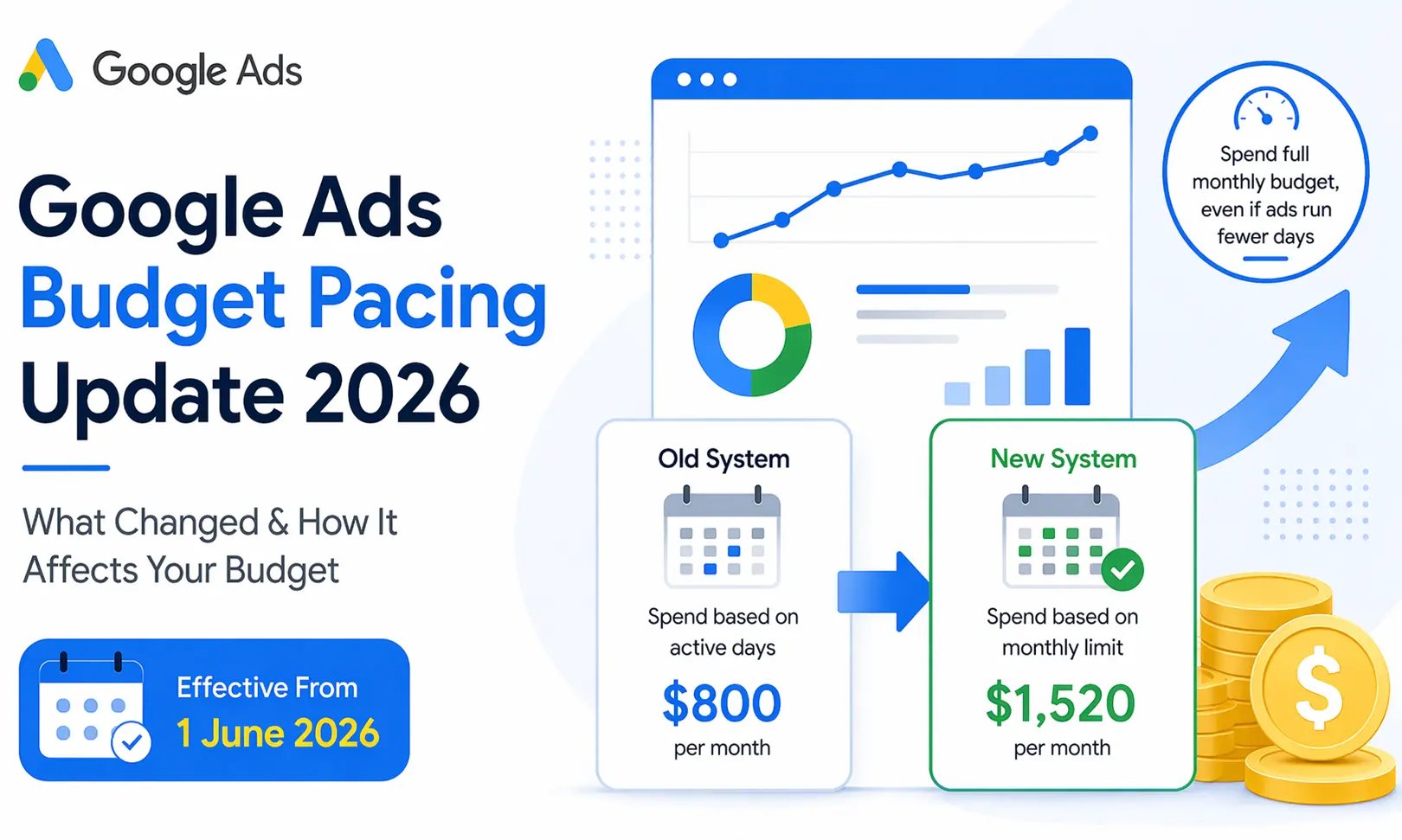
Example: How Budget Pacing Changed (Before vs After 2026 Update)
Before Update (Old Behaviour)
Example in USD:
Daily Budget = $50
Ads run only 16 days in a month
Calculation:
Total Spend = $50 × 16 = $800
This means:
Spend was limited to active days only
Fewer running days = lower monthly spend
Budget was evenly distributed
No aggressive daily spikes
After Update (New Behaviour – 2026)
Same Setup:
Daily Budget = $50
Ads run only 16 days
New Calculation Logic:
Monthly Cap = $50 × 30.4 = $1,520 (approx.)
In practical scenarios, due to aggressive pacing and demand fluctuations, spend can go up to ~$1,650
This means:
Google tries to spend the full monthly budget
Spend is pushed aggressively during active days
Higher daily spend spikes
Limited schedules no longer reduce total spend
Why This Update Matters
This change directly affects cost control and campaign performance.
1. Increased Monthly Spend Risk
Campaigns may now spend more than expected, especially if running on limited schedules.
2. Budget Compression
Spend is concentrated into fewer days, which can lead to:
Higher CPC
Faster budget exhaustion
3. Reduced Control via Scheduling
Ad scheduling is no longer a reliable way to control spend—it only controls visibility.
4. Impact on Performance Data
Aggressive pacing can distort:
Conversion trends
Learning signals for automated bidding
Who is Most Affected?
This update primarily impacts:
B2B campaigns running during business hours
Service-based businesses with limited working hours
Local businesses running weekday-only ads
Lead generation campaigns with time restrictions
If your ads don’t run 24/7, this update is highly relevant to you.
How the New Budget Logic Works
Google respects your ad schedule (ads won’t show outside selected hours)
However, within active hours, it spends more aggressively
Goal = maximise performance while reaching the monthly budget cap (30.4× daily budget)
What You Should Do Now
1. Recalculate Your Daily Budget
If you’re working with a fixed monthly budget:
Daily Budget = Monthly Budget ÷ 30.4
2. Audit Campaigns with Ad Scheduling
Identify campaigns that:
Run only on specific days
Operate during limited hours
These require immediate review.
3. Monitor Early Month Spend
Track performance in the first 7–10 days:
Is the budget exhausting too quickly?
Are costs higher than expected?
4. Adjust Bidding Strategy
If you’re using automated bidding like:
Maximize Conversions
Maximize Conversion Value
Expect more aggressive spending.
Consider adding:
Target CPA
Target ROAS
5. Restructure Campaigns
Instead of relying on scheduling:
Split campaigns based on timing
Allocate separate budgets strategically
Ad scheduling should no longer be treated as a cost-control tool.
Instead, focus on:
Budget segmentation
Smart bidding strategies
Performance-based optimisation
What’s Next?
Google is continuing to refine budget pacing to ensure advertisers consistently reach their monthly spending limits.
This clearly indicates a shift toward: Maximum budget utilisation by default
Final Takeaway
Earlier, limiting the number of days your ads ran helped control overall spend.
Now, Google aims to utilise your full monthly budget—even within a restricted schedule.
This results in higher daily spend, faster budget consumption, and reduced control through ad scheduling. To Know more contact us.